GMKtec M6 Ultra tested for local AI
This page may contain Amazon affiliate links. A purchase after a click can earn the site a commission, at no extra cost to you. The advice stays independent. How affiliation works.
The GMKtec NucBox M6 Ultra is a Windows 11 Pro mini PC, received as a donation, that we ran at LocAIhome as a local AI box: Ollama, GGUF Q4_K_M models, and the integrated Radeon 760M. This test covers the 16 GB + 512 GB unit (SKU M6Ultra 16+512GB-EU), the measurements of 21 and 22 November 2026, and which model fits which task. It does not replace the 2026 mini PC comparison or choosing hardware for home AI.
Disclosure. This unit was provided by GMKtec as a donation. The measurements, settings and judgement are ours alone. Amazon links on this page are affiliate links: a purchase may earn LocAIhome a commission at no extra cost to you (affiliate disclosure).
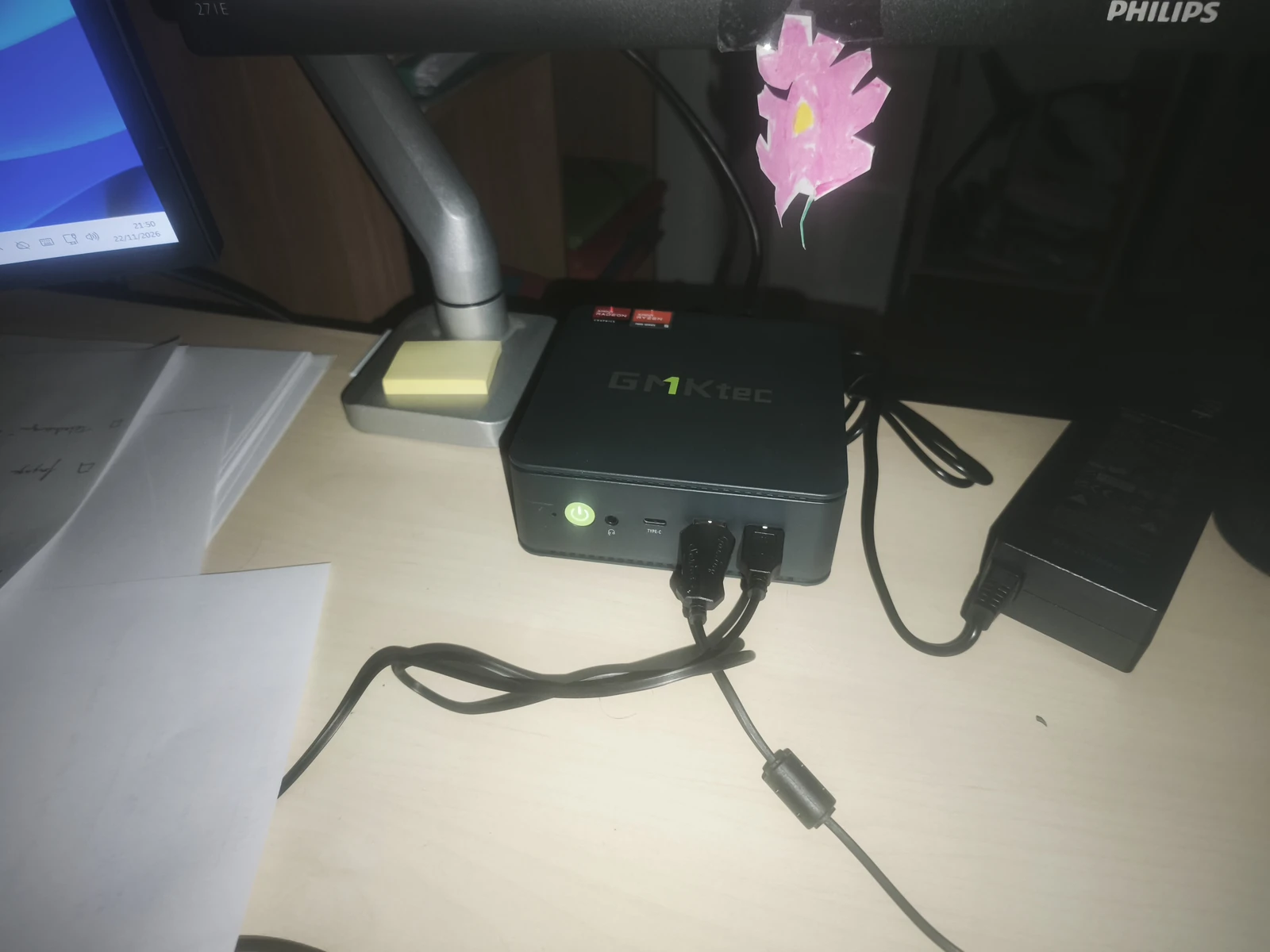
What is it good for?
What this mini PC does well day to day, based on our measurements:
- Local AI assistant and private chat with 3B to 8B models: qwen2.5:7b runs at 11–13 tokens/s, llama3.2:3b at 22–27 tokens/s. See the private family assistant and Open WebUI.
- Summarising, rewriting and translating text, and extracting data as JSON (invoices, forms, emails) without sending documents to the cloud. German output still needs proofreading.
- Home server and home automation: about 10 W (SoC estimate) at idle, so it can stay on for Home Assistant with Ollama or n8n automations.
- Homelab and network uses: the two 2.5G RJ45 ports let you split two networks, for example for a firewall or a software router.
- Office work, media and dual screens over HDMI and DisplayPort (plus USB4), and light development with a local coding assistant.
What it is not good for:
- Large 13B+ models: the 16 GB of RAM is shared with the Radeon 760M (6 GB reserved as UMA), and the 8B already leaves less than 0.5 GB free.
- Heavy image generation (Flux, high-resolution SDXL): an iGPU without dedicated memory stays slow; see images without a cloud and GPU, iGPU and eGPU.
- AAA gaming at high settings: the 760M is integrated graphics.
The unit we tested
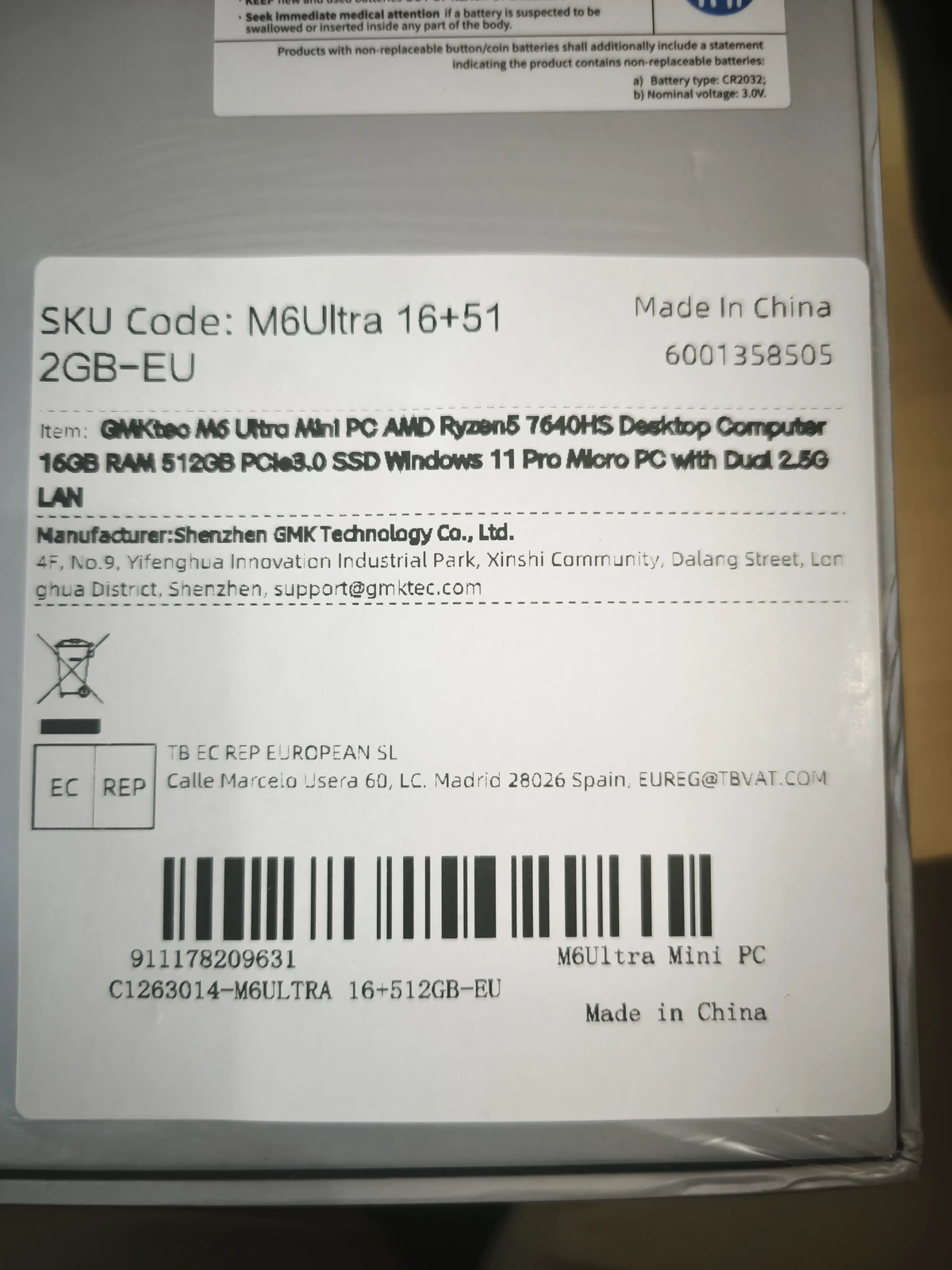
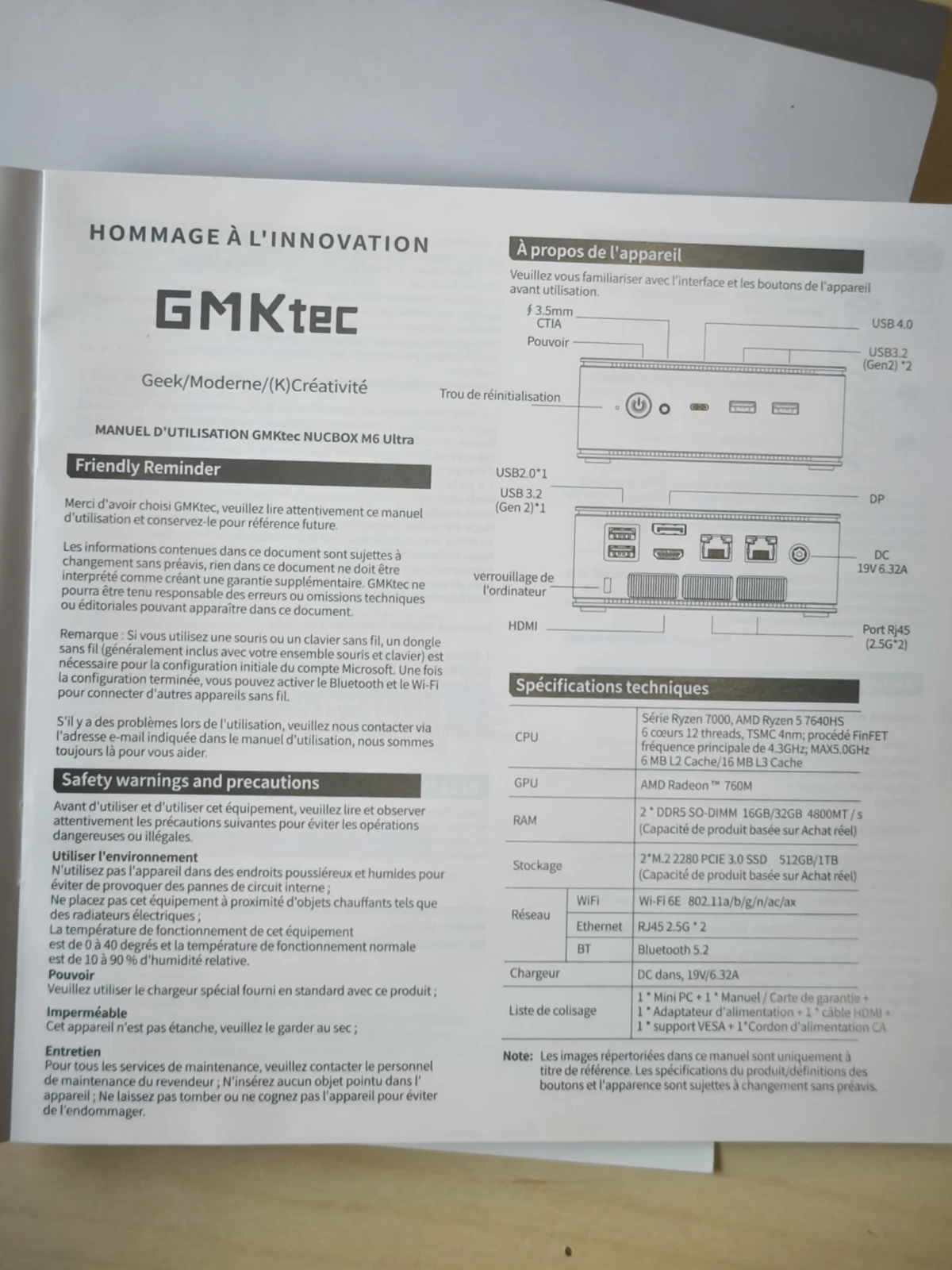
The box is labelled M6Ultra 16+512GB-EU. The sticker describes an AMD Ryzen 5 7640HS mini PC with 16 GB of RAM, a 512 GB PCIe 3.0 SSD, Windows 11 Pro and dual 2.5 G Ethernet. Windows 11 Pro was preinstalled. The packing list in the manual also includes the power adapter, an HDMI cable and a VESA mount.
Build and design
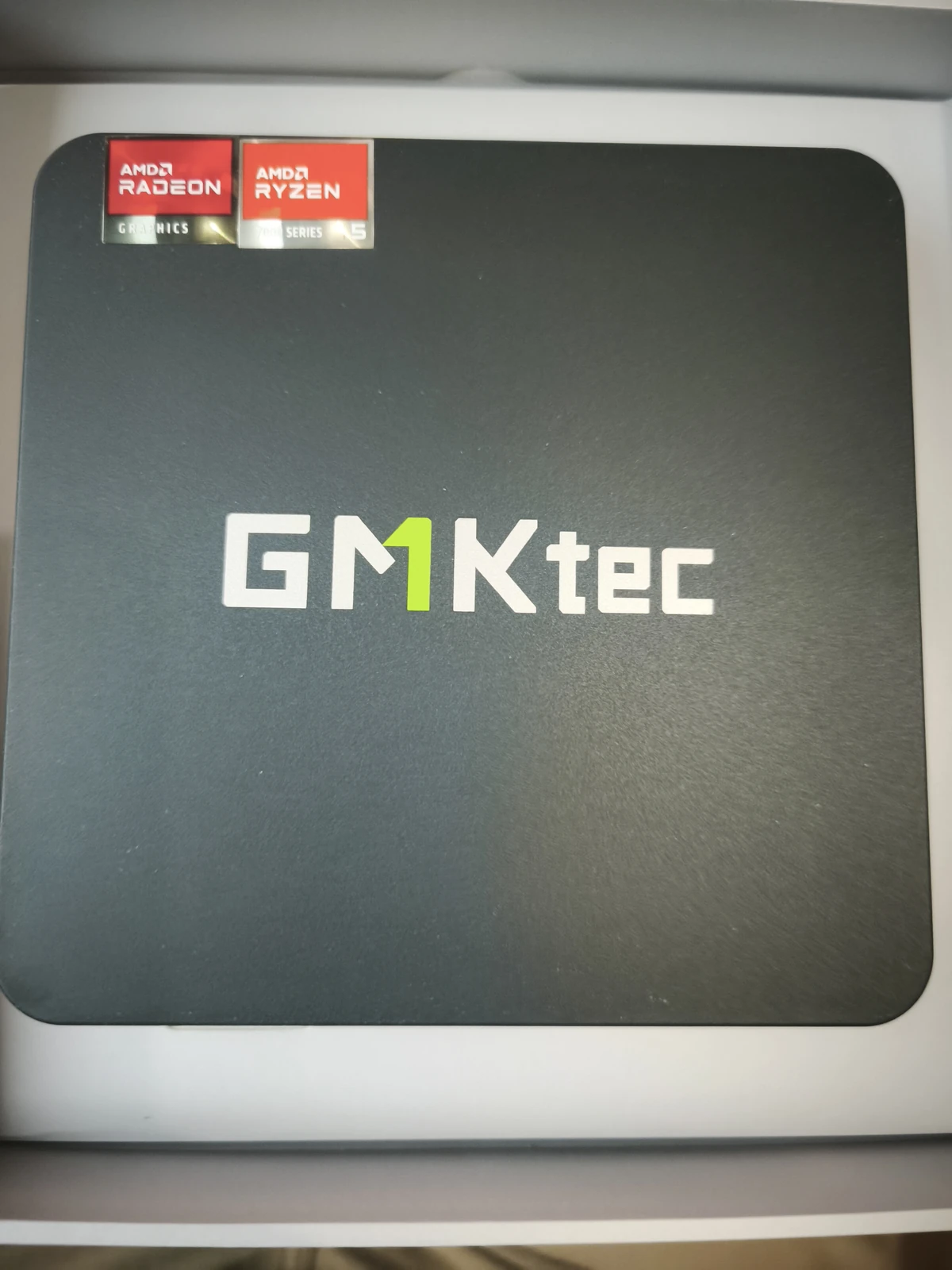
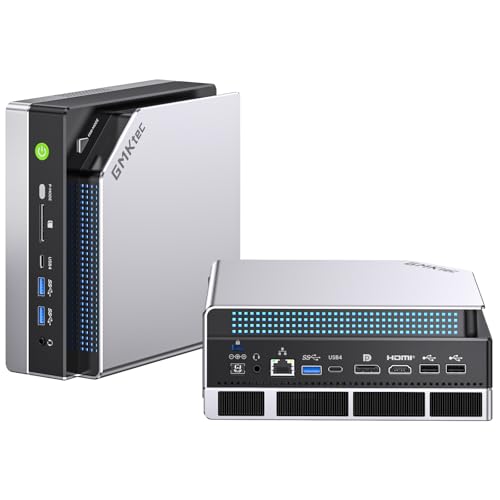
From our photos of the unit we received:
- Compact square chassis, about 12.9 × 12.7 × 4.8 cm and 528 g according to GMKtec; it sits on a desk without taking over.
- Matte dark grey finish, GMKtec logo on top, AMD Ryzen and Radeon badges.
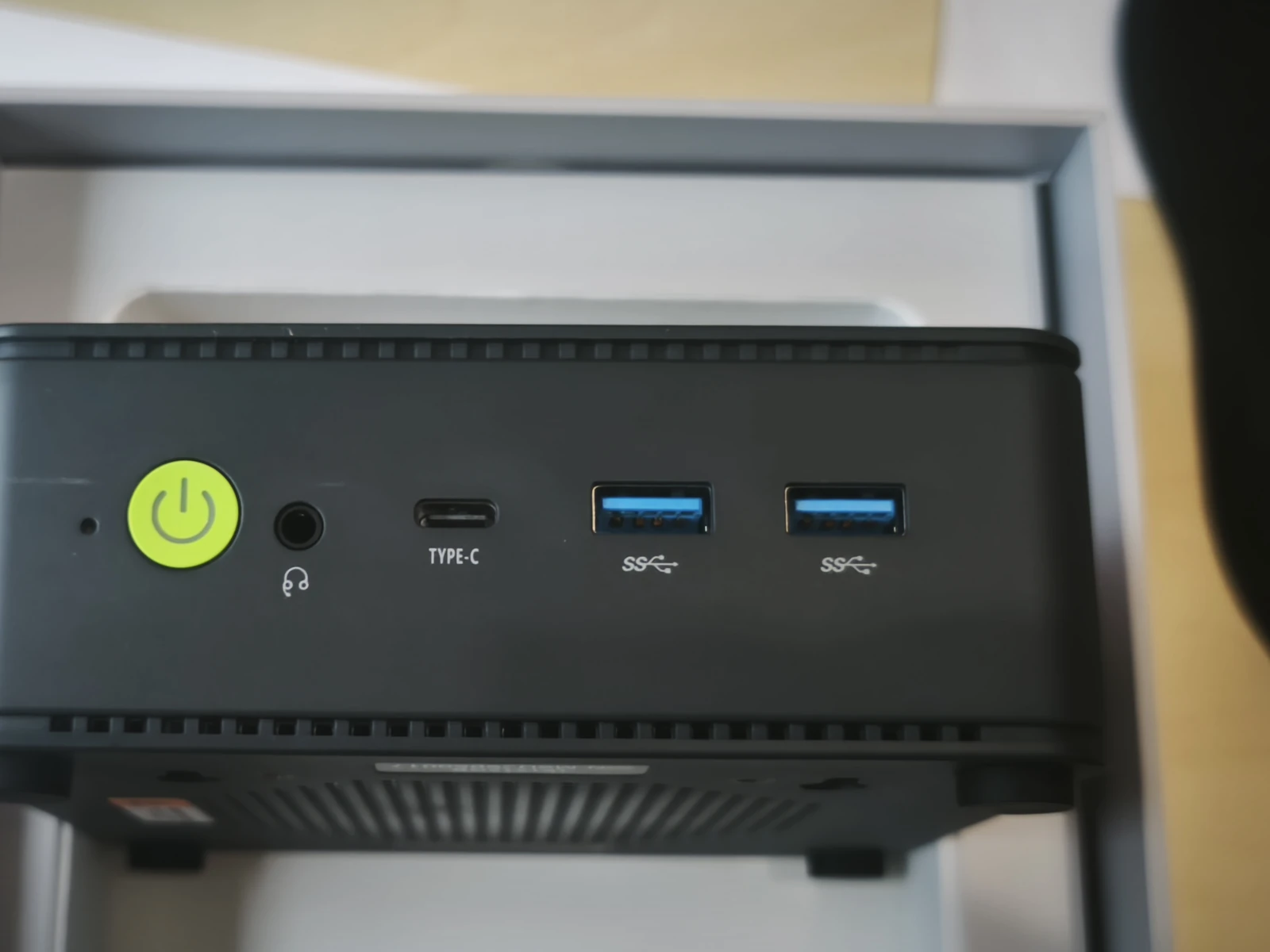
- Lime-green power button on the front, easy to spot.
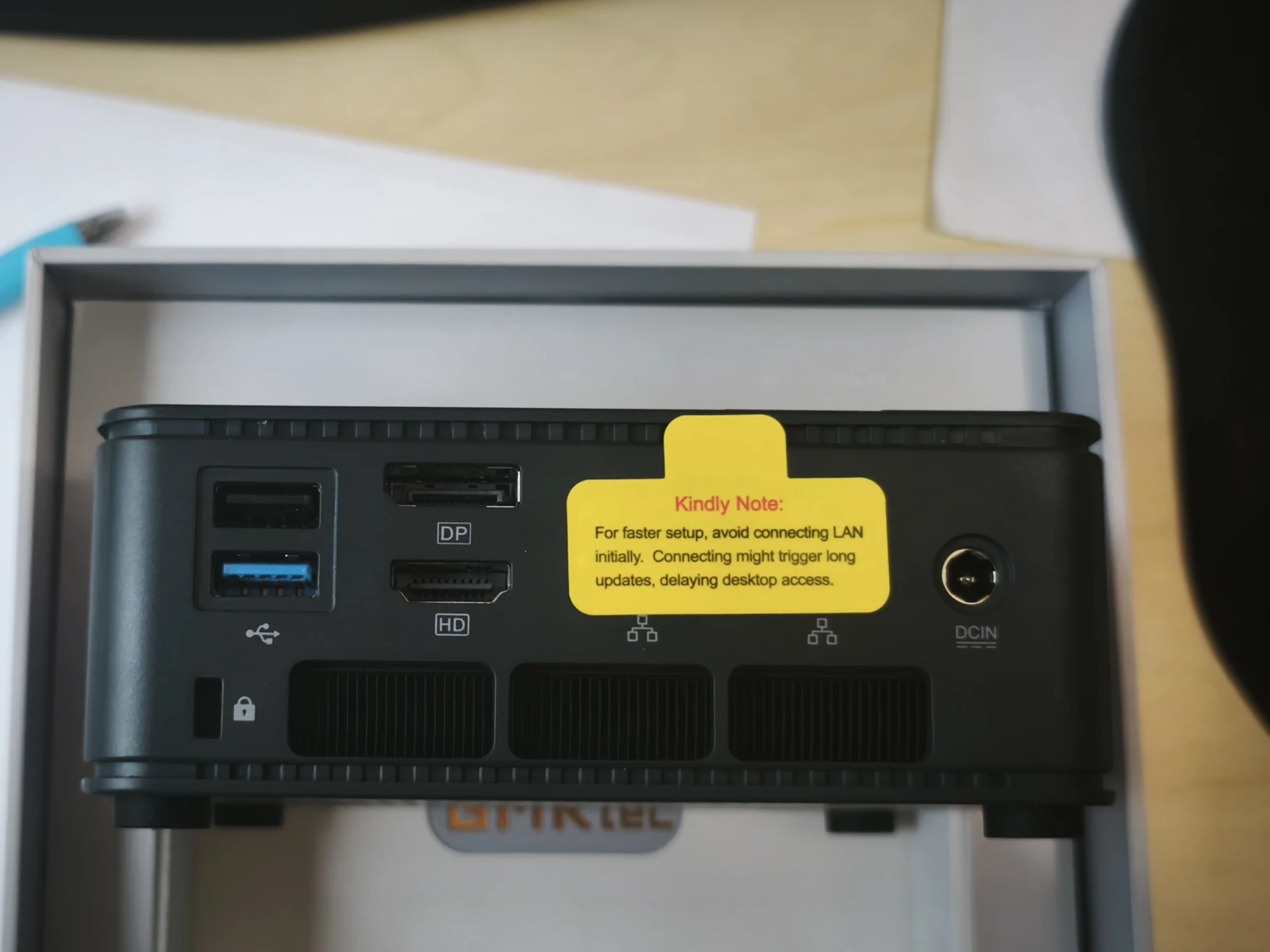
- Ventilation grilles on the sides, at the lid joint and underneath; rubber feet under the case.
- Tidy front panel: audio jack, USB4 Type-C and two USB 3.2 in a row; bulky cables (HDMI, DP, LAN, power) go at the back.
- VESA bracket included to mount it behind a monitor.
We make no claim about the case material: the official product page does not state it.
Specifications from the manual
The table below follows the manual supplied with this unit, not a third-party marketing sheet. Our machine is the 16 GB / 512 GB configuration (the manual also lists 32 GB / 1 TB depending on what was purchased).
| Item | This unit’s manual |
|---|---|
| Processor | AMD Ryzen 5 7640HS, 7000 series, 6 cores / 12 threads, TSMC 4 nm, 4.3 GHz base, up to 5.0 GHz, 6 MB L2 / 16 MB L3 |
| Graphics | AMD Radeon 760M |
| Memory | 2× DDR5 SO-DIMM slots, 16 GB / 32 GB, 4800 MT/s (capacity depends on the purchase; ours is 16 GB) |
| Storage | 2× M.2 2280 PCIe 3.0 slots, 512 GB / 1 TB depending on the purchase; ours is 512 GB |
| Network | Wi-Fi 6E (802.11a/b/g/n/ac/ax), Bluetooth 5.2, 2× 2.5 G RJ45 |
| Power | DC 19 V / 6.32 A |
| Operating system | Windows 11 Pro |
Ports
On the front: power button, 3.5 mm jack (CTIA), USB4 (Type-C, USB 4.0 in the manual) and two USB 3.2 Gen2 ports. On the rear: one USB 3.2 Gen2, one USB 2.0, HDMI, DisplayPort, the two 2.5 G RJ45 ports, the DC 19 V / 6.32 A inlet and a Kensington lock. A reset hole is on the front.
UMA graphics memory: 6 GB or 2 GB
On this chip the integrated GPU shares system RAM (UMA, unified memory architecture). We compared two settings on 21 November 2026, with Ollama and Q4_K_M models: A = 6 GB frame buffer, B = 2 GB. The figures below are median tokens per second.
| Model (CPU) | A (6 GB) | B (2 GB) |
|---|---|---|
| llama3.2:3b | 24.9 | 25.1 |
| qwen2.5:7b | 12.5 | 12.4 |
| llama3.1:8b | 11.7 | 11.7 |
CPU speed is effectively unchanged. The GPU (Vulkan) is slower at B:
| Model (GPU Vulkan) | A (6 GB) | B (2 GB) |
|---|---|---|
| llama3.2:3b | 31.2 | 29.3 |
| qwen2.5:7b | 13.9 | 12.0 |
| llama3.1:8b | 14.2 | 12.9 |
On the 8B, the GPU thermal-zone peak reached 71 °C at A versus 83 °C at B. Windows reported about 9.8 GB of RAM at A, versus about 13.8 GB at B: the 6 GB buffer is taken from system memory. For local AI on the 760M, we recommend setting A (6 GB). More on video memory is in VRAM and model size and GPU, iGPU and eGPU.
Real tasks with Ollama
On 22 November 2026, still at UMA 6 GB, with Ollama Vulkan and Q4_K_M models, we used the three models on concrete tasks (rewriting, extraction, translation, summarising, reviewing text).
| Model | Observed speed | What it did well | Limit we saw |
|---|---|---|---|
| llama3.2:3b | 22 to 27 tokens/s | Fastest, useful for a draft | Weak at review and translation |
| qwen2.5:7b | 11 to 13 tokens/s | Best all-round choice: rewriting, JSON extraction, translation into English | Not as strong as the 8B for a French summary |
| llama3.1:8b | 9 to 11 tokens/s | Best French summary | Slower; less than 0.5 GB of free RAM |
German still needs proofreading, with every model. On a 16 GB box with UMA at 6 GB, the 8B is tight: close heavy apps. To pick a first GGUF tag, see choose a first model and install Ollama on Windows.
Power and temperature
The figures below come from HWiNFO 8.60, on 22 November 2026 between 9:07 p.m. and 9:16 p.m. (Paris time), UMA about 6 GB, 180 s per scenario. They are software estimates of the SoC package (the CPU and integrated graphics together), not a wall measurement.
| Scenario | Average | Peak / note |
|---|---|---|
| Idle, desktop open | 10.2 W | 13.7 W peak, 42 °C |
| qwen2.5:7b at 100 % on the Radeon 760M | 42.9 W | 72 °C peak, 13.07 tokens/s |
| CPU at 100 % | 35.0 W | 78 °C peak, about 4.6 GHz |
To estimate a bill over time, start from a wall measurement and the electricity budget for a home AI box. The general guide noise and power of a mini PC also covers how to track watts and noise in a living room.
Verdict
On this 16 GB unit, the GMKtec M6 Ultra is a fit for household local AI with 3B and 7B models. qwen2.5:7b is the one we would keep for daily use. The 8B runs, with very little free RAM. We set UMA to 6 GB for the 760M. The two SO-DIMM slots and two M.2 slots allow an upgrade; the manual for this unit lists 16 GB / 32 GB and 512 GB / 1 TB configurations depending on the purchase.
This is not a PC with a dedicated graphics card: for larger models or heavy AI image work, see GPU, iGPU and eGPU and the 2026 mini PC comparison. For memory, read 32 vs 64 GB of RAM.
Where to buy
- GMKtec M6 Ultra, Ryzen 5 7640HS, 16 GB / 512 GB on Amazon (affiliate link; check price and configuration on the listing).
Go further
For heavier uses than the 16 GB M6 Ultra allows:
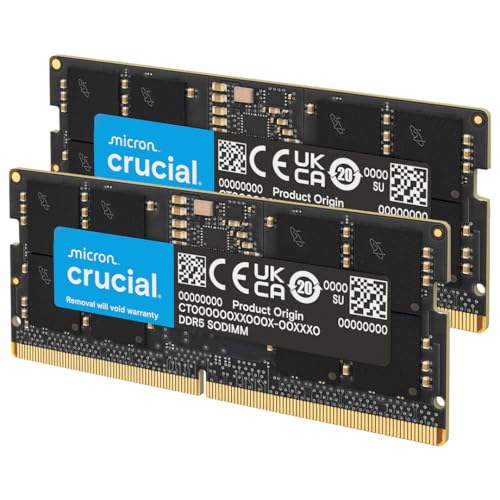
- More RAM for 13B models: Crucial 32 GB (2 × 16 GB) DDR5-4800 SO-DIMM kit, CT2K16G48C40S5. The M6 Ultra has two SO-DIMM slots; see 32 vs 64 GB of RAM.
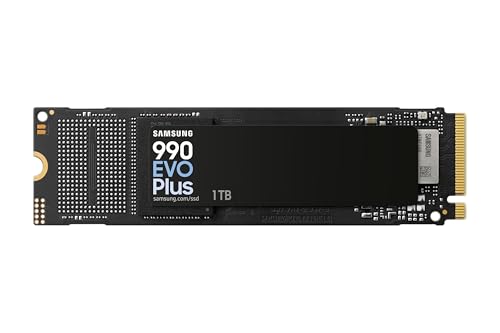
- More room for models: Samsung 990 EVO Plus 1 TB M.2 2280 NVMe SSD for the second M.2 slot; see SSD storage for models.
- 30B+ models and AI images: GMKtec EVO-X2, Ryzen AI Max+ 395, 64 GB, with much larger unified memory. See also the 2026 mini PC comparison.
Amazon affiliate links; check price, availability and compatibility on the listing (affiliate disclosure).
Related guides:
Common questions
Is 16 GB of RAM enough for local AI?
Yes for Q4_K_M 3B and 7B models, one at a time. llama3.1:8b writes a better French summary but leaves less than 0.5 GB of free RAM in Windows when UMA is set to 6 GB.
Should UMA be set to 6 GB or 2 GB?
For inference on the Radeon 760M, we recommend 6 GB. On 21 November 2026 the GPU was faster and stayed cooler (71 °C versus 83 °C on the 8B) than with 2 GB. CPU speed did not change.
What is the real power use?
We did not measure at the wall. HWiNFO reports a software estimate of the SoC package: 10.2 W average at idle, 42.9 W during qwen2.5:7b on the iGPU, and 35.0 W at 100 % CPU. See the electricity budget.
Which Ollama model should I use on this unit?
qwen2.5:7b is the best all-round choice (rewriting, JSON extraction, translation into English, 11 to 13 tokens/s). llama3.2:3b is the fastest (22 to 27 tokens/s) for a draft. llama3.1:8b is slower (9 to 11 tokens/s) but better at French summaries. German still needs proofreading.
Sources
Also read
Narrow it down with the hardware selector · French version of this section